UPDATE: Reviews section refreshed, redesigned, searchable: Go take a look
Trying to post photo on photoclub. Photo is hosted on flickr and I have the html code but can not get it to work.
You have to use the url (ie http://.....) instead if you are using th "IMG" button as far as I know.
Use a hosting service like flickr or picassa and then simply enter the photos url inbetween the image tags
Have a look through [url= http://www.singletrackworld.com/forum/topic/linking-pics-to-stw-from-flickr-problems ]this thread[/url], a bit long but basically tells you;
1- select 'all sizes' of your pic on Flickr
2- select appropriate size (s, m, l)
3- copy 'option 2' text below pic - looks like this

4- click 'IMG' above Singletracks 'reply' box; paste 'option 2' text into the pop-up box (make sure there's just one 'http;//' at the start)
5- voila!
Also check Bez's post 1/2 way down [url= http://www.singletrackworld.com/forum/topic/photo-club-suggestion-chat ]this current thread[/url], to stay on Flickrs good side...
Which image tags?
[url=http://] http://www.flickr.com/photos/mrvear/4273370083/" title="kinkybikes 12 by mrvear, on Flickr">[/url]
[img] http://farm3.static.flickr.com/2798/4273370083_7f83564811.jp g" target="_blank">http://farm3.static.flickr.com/2798/4273370083_7f83564811.jp g"/> [/img]
mrvear, do you use Firefox? If so, try looking at this: http://www.stewartpratt.com/?p=88
Otherwise, you need to click on your photo in flickr that you want to post, then go to the 'All Sizes' button above the photo, then select the medium (or whatever) size.
Once the photo has loaded, right click on it and select either 'Properties' and then select and copy the address (internet explorer), or 'Copy photo URL' (I think, Firefox).
Then come back to here, click the IMG button and paste the URL in.
[img] http://farm3.static.flickr.com/2798/4273370083_7f83564811.jp g" target="_blank">http://farm3.static.flickr.com/2798/4273370083_7f83564811.jp g"/> [/img]
[img] 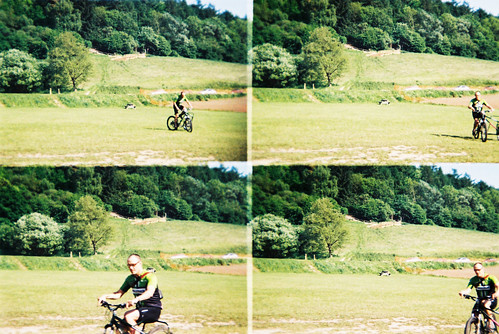 [/img]
Thank you so very much 🙂 I am using neither. using safari
now to add my photo to photo club, not this one mind
Minimal hair, specticle toting cyclist, on bike with SIDE TRAILER.
Whats going on then ?.
S.
That thing is lots of fun, it belongs to my mate and was in the bike porn section of singletrack ages ago. Thats chips on it.
[img] 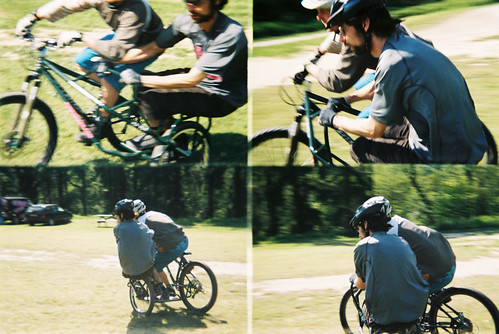 [/img]
I still don't know how to get pic on here! Do they have to be on flickr?

